03 Products · Active
MetaTrader 4 & 5
The forex and CFD platform, scripted in MQL. Price and volume arrive as the broker reports them, with no exchange depth, so what we build here is the price-action line rather than order flow.
Why
Rewritten in MQL — not ported.
MetaTrader is not C#, so the engines are being rewritten in MQL rather than pushed through a translator.
What carries over unchanged is the standard: lifetime access, affordable pricing, and product enhancements that keep coming.
We are committed to bringing premium, highly affordable indicators to the platforms you rely on most. We know the frustration of buying a tool only to feel stuck when the developer abandons it. That's why every indicator we offer comes with a guarantee of ongoing improvements. It's a one-time purchase for a lifetime of value—ensuring your edge in the markets remains razor-sharp.
Catalogue
023Tools on the chart you already use.
Udock
Drawing tools, two-axis pan and paper replay on the MetaTrader chart you already use. Your candles, indicators and objects stay as they are.
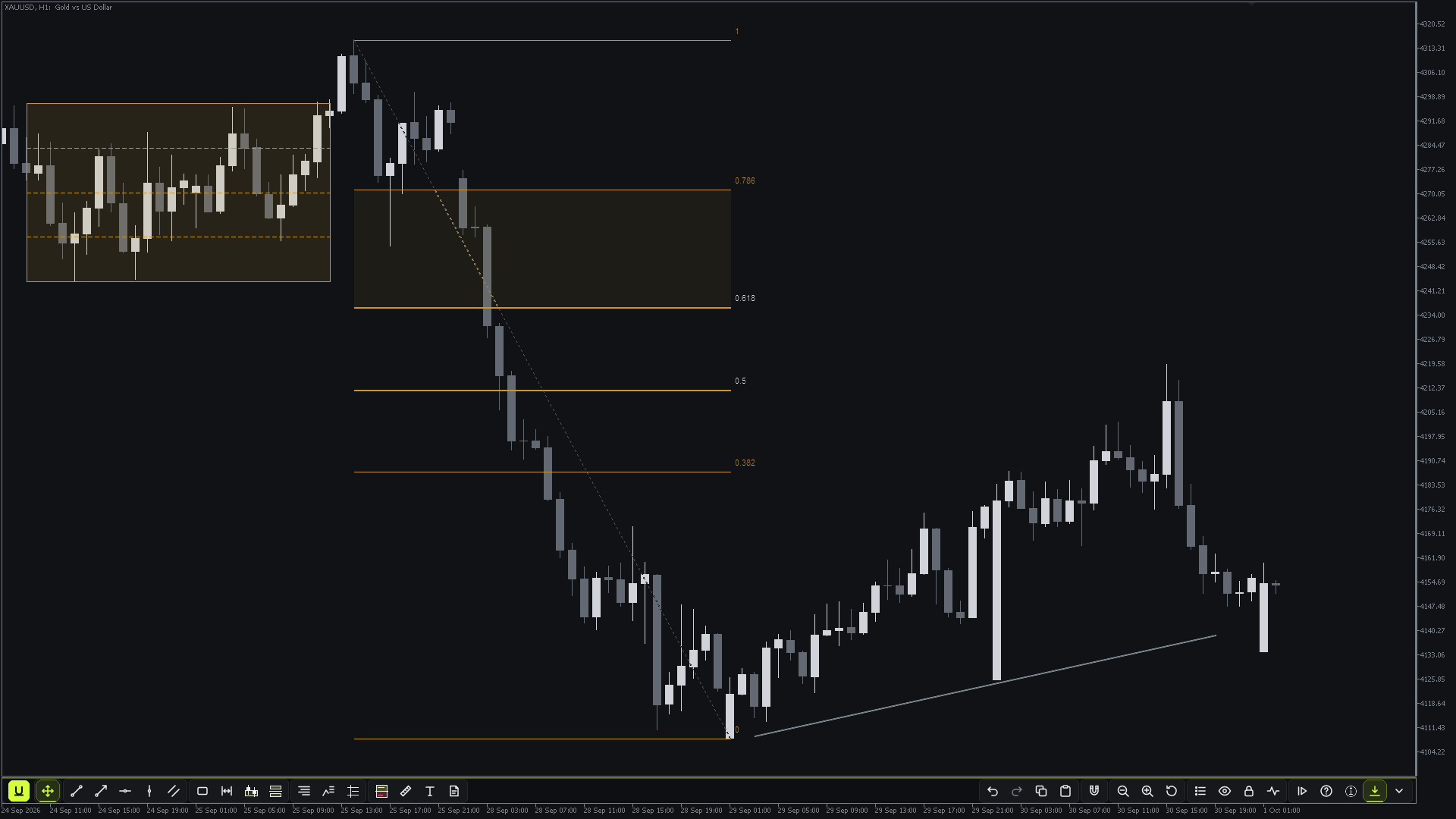
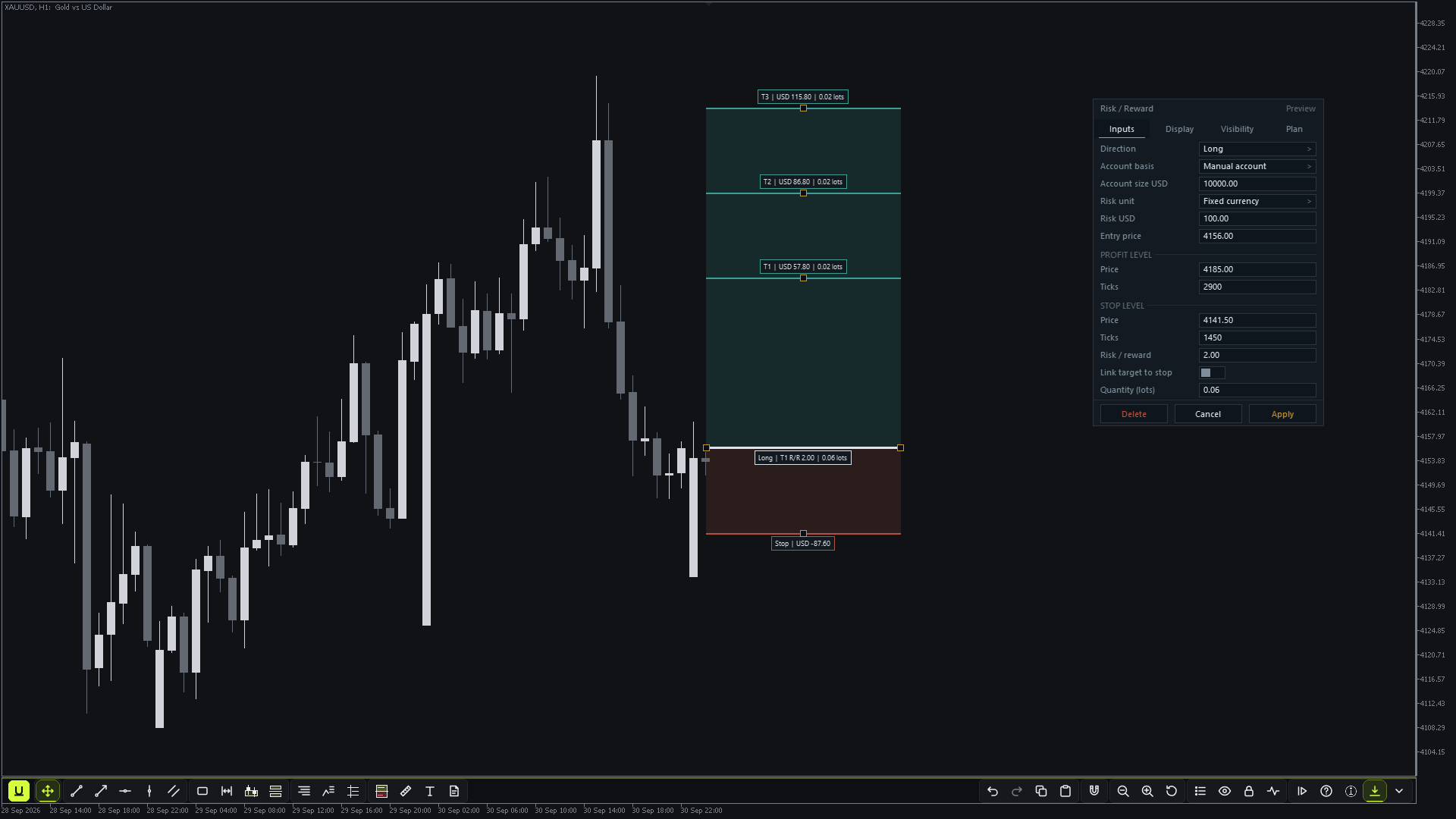
Udock adds a slim toolbar to the MT4 or MT5 chart. Nothing is replaced: the platform's own candles, indicators, subwindows and objects stay where they are. One file, no DLL.
Draw, plan the trade, move through the chart and practise on history, all from the same toolbar.
Udock is built to keep growing. Each update adds to it or sharpens what is already there, and that carries on until there is nothing left to add. If you find something missing, tell us: if it fits the tool, it gets built. Updates reach you through the Market.
- 01 16 drawing tools Trend lines, channels, zones with sub-levels, sessions and killzones, order blocks, fair value gaps, Fibonacci, previous day and week levels, measure, text and notes. Each has its own key and opens its editor with one right-click.
- 02 Risk / reward planner Size by money, percent or lots, up to three targets, fees and slippage per lot, and lot sizes that never round up past your risk. It plans the trade; it never places orders.
- 03 Pan in any direction Drag time and price together, and reset to the latest bars with one click.
- 04 Paper replay Play history forward on a separate practice chart with buy, sell, stops and targets, a blind mode and a summary you can export. Your real chart and account are never touched.
- 05 Alerts on any drawing Touch and close-beyond alerts in the terminal, and by push or email once the terminal is set up for them.
- 06 Drawings that follow the symbol Saved per symbol and shown in every Udock window of that symbol, with the crosshair shared between them.
- 07 Diagnostics and a guided tour A card with the version and the last problem and where it happened, a plain-text report with no account details, and a tour of every tool and shortcut.
Minimum requirements · MetaTrader 4 & 5
- Data
- None beyond your broker's history. Paper replay needs the broker's M1 history for the dates you choose.
014The higher-timeframe map.
Gaps
Your monthly, weekly and daily levels on one chart, with the hierarchy between them made obvious. A map, not a signal generator.
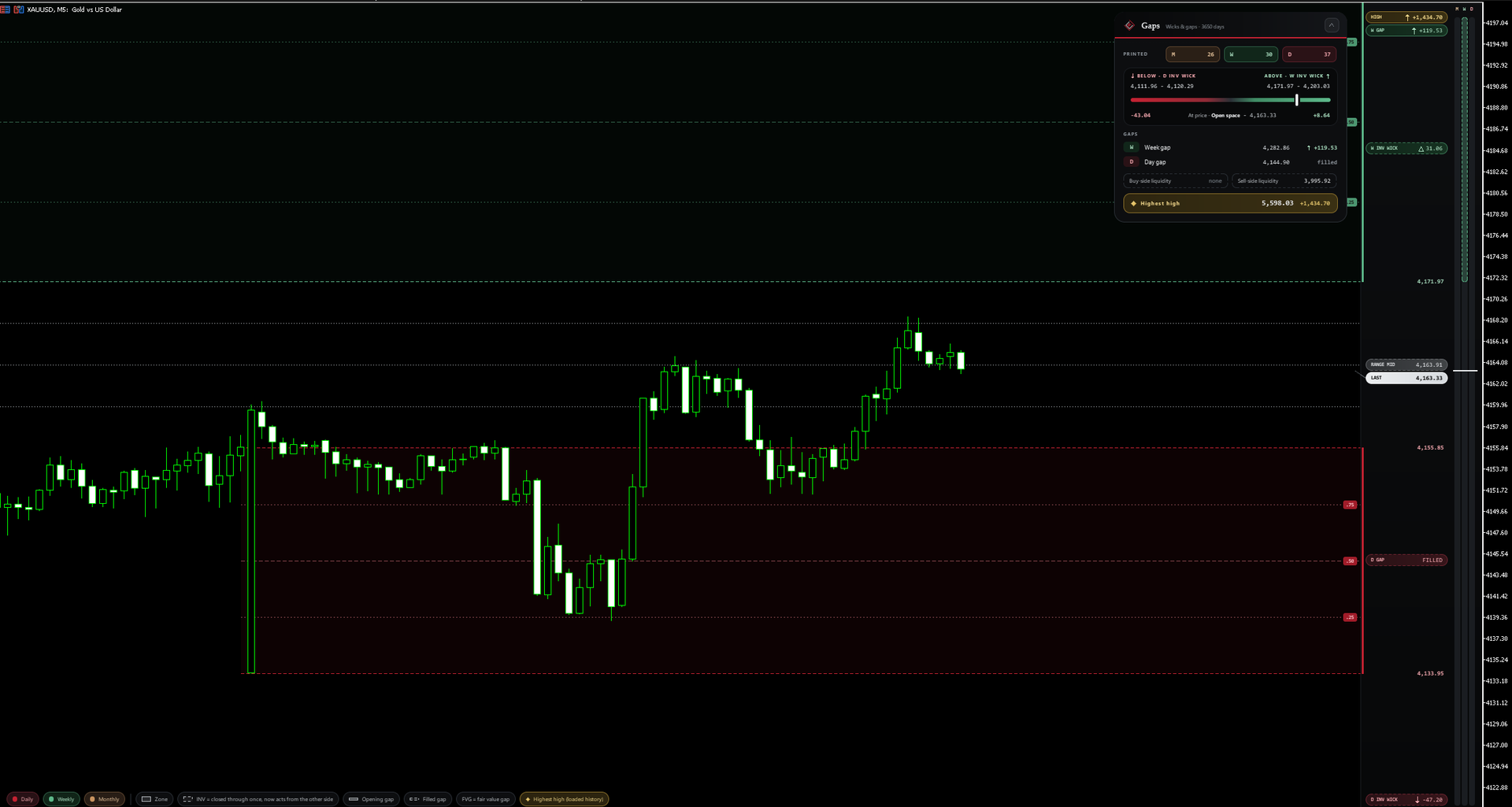
One clean view of which higher-timeframe level actually matters right now, and which lower one sits inside it.
The hierarchy is the whole point — no clutter, no signals, just the map.
Gaps keeps growing the same way. Updates add to the map and refine what it already draws until there is nothing left to add, and what you tell us is missing gets built if it fits. Updates reach you through the Market.
- 01 The levels that rule See which higher-timeframe level you're really trading against.
- 02 Clear at a glance Each timeframe distinct, never colour-ambiguous.
- 03 A map, on purpose No signals, no blocks - those live in the other engines.
- 04 Narrow and clean Built to do one job and stay out of the way.
Minimum requirements · MetaTrader 4 & 5
- Data
- None beyond your broker's price history: the map builds from monthly, weekly and daily candles. No volume or order flow needed.
Licensing
MetaTrader products are sold, activated and updated through the MQL5 Market: you buy on the Market, and the Market handles activation on your computers and delivers every update.